
Trick of Chrome & fire fox
Most of users used chrome internet browser but do you know there are lots of trick in google chrome internet browser.I have some trick that are given below:-
No 1 :- when we want to open last closed then press ctrl + shift + T .
No 2 :- if u want to search about any image then press s in your keyboard and right click on the image.It will give you result in a new tab.This is work only in chrome.
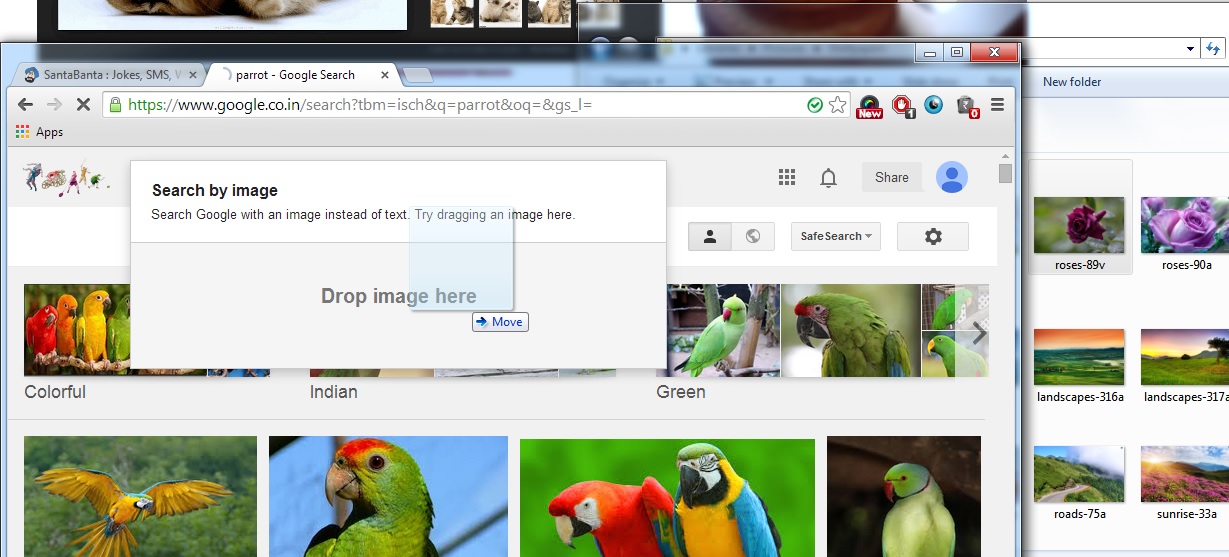
No 3:- When you drag a picture in google then it will be upload automatically and image will be search on that picture.It works on firefox and chrome.
No 4 :- type a address in address bar and when you press Enter then it will add .com end of the address .If you press shift + enter then it will add .net end of address.If your press ctrl + enter then it will be add .org end of address.It willl work in both chrome and firefox.
No 5 :- When you want to open incognito window then press ctrl + shift + N.
No 6 :- you can make notepad to your browser.Type given below address in your browser's address bar and press enter.You can also save this.
No 6 :- you can make notepad to your browser.Type given below address in your browser's address bar and press enter.You can also save this.
data:text/html,%20<html%20contenteditable>


When we open www.google.com then it will automaatically redirect to www.google.co.in.Why it happen ,because we are indians.If we want to open Original google.com then we have to go on this address http://google.com/ncr
No 7 :- Press ctrl and click on any link , to open a link in a new new tab.Its work on chrome and firefox.
No 8 :- open Old google in your chrome browser. If you want to see that how google looks in 1998 then just only type in search box google year that you want to see
For Example "google in 1998" and press enter
Sign up here with your email
ConversionConversion EmoticonEmoticon